
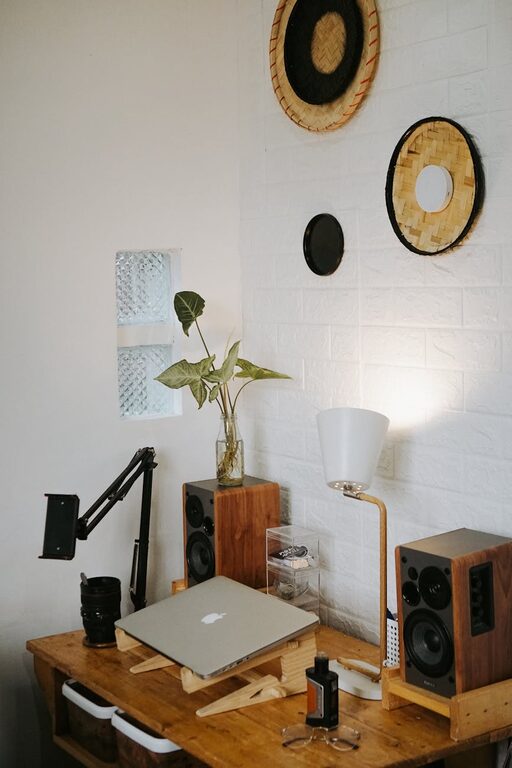
Creating a cozy and functional home workspace is essential for anyone working remotely or needing a dedicated area for focused tasks. A well-designed workspace boosts productivity, reduces stress, and helps maintain a healthy work-life balance. Whether you have a whole room to dedicate or just a small corner, these tips will guide you in turning your space into an inviting, efficient environment.
1. Choose the Right Location
Consider Natural Light
Pick a spot with plenty of natural light if possible. Sunlight not only brightens your space but also improves mood and energy levels. Position your desk near a window, but avoid glare on your computer screen by using blinds or curtains.
Minimize Distractions
Find a quiet area away from high-traffic zones in your home. This helps you focus better and reduces interruptions.
2. Invest in Comfortable and Ergonomic Furniture
Select an Ergonomic Chair
Comfort is key when sitting for long periods. Choose an adjustable chair with good lumbar support to prevent back pain and promote good posture.
Use a Suitable Desk
Your desk should fit your workflow. Whether you prefer sitting or standing, pick a desk height that keeps your arms at a comfortable 90-degree angle when typing.
Consider Add-Ons Like Footrests or Wrist Supports
Ergonomic accessories can ease strain and make long work sessions more comfortable.
3. Optimize Organization and Storage
Declutter Regularly
A tidy space helps clear your mind. Keep only essential items on your desk and put away materials you’re not using.
Use Storage Solutions
Shelves, drawers, and organizers keep your workspace neat. Label boxes or files so you can find documents easily.
Cable Management
Loose cables can look messy and cause distractions. Use cable clips or sleeves to keep them tidy and out of the way.
4. Personalize Your Workspace
Add Plants
Greenery can create a calming atmosphere and improve air quality. Small potted plants or succulents work well on desks or shelves.
Use Art or Inspirational Quotes
Decorate your space with items that motivate you, such as framed pictures, artwork, or quotes.
Choose Colors That Soothe You
Color can affect your mood. Soft blues, greens, or neutral tones make for relaxing environments, while brighter colors can boost creativity.
5. Light Your Workspace Properly
Combine Natural and Artificial Light
Natural light is ideal, but you’ll also need good task lighting, especially for evenings. Use adjustable desk lamps with warm bulbs to reduce eye strain.
Avoid Harsh Overhead Lights
Soft, diffused lighting is easier on the eyes than glaring fluorescent lights.
6. Incorporate Technology Thoughtfully
Use Quality Equipment
Invest in reliable devices like a good monitor, keyboard, and mouse to improve comfort and efficiency.
Maintain a Good Internet Connection
A fast, stable internet connection helps prevent frustration during virtual meetings or data transfers.
Minimize Screen Glare
Position screens to avoid reflections and use anti-glare filters if necessary.
7. Establish Boundaries and Routine
Designate Work Hours
Having set work times helps separate professional and personal life within the same space.
Create Visual Boundaries
Use rugs or room dividers to define your workspace, which can improve focus and signal to others when you’re working.
Take Regular Breaks
Incorporate movement and rest to stay productive and reduce fatigue.
8. Keep the Space Fresh and Clean
Ventilation
Good airflow prevents stuffiness—open windows when possible or use fans.
Regular Cleaning
Dust and wipe surfaces to maintain a healthy and pleasant workspace.
—
By thoughtfully combining comfort, organization, and personal touches, you can create a home workspace that not only looks inviting but also supports your productivity. Remember, the best workspace is one tailored to your unique needs and preferences, making work feel less like a chore and more like a pleasure.